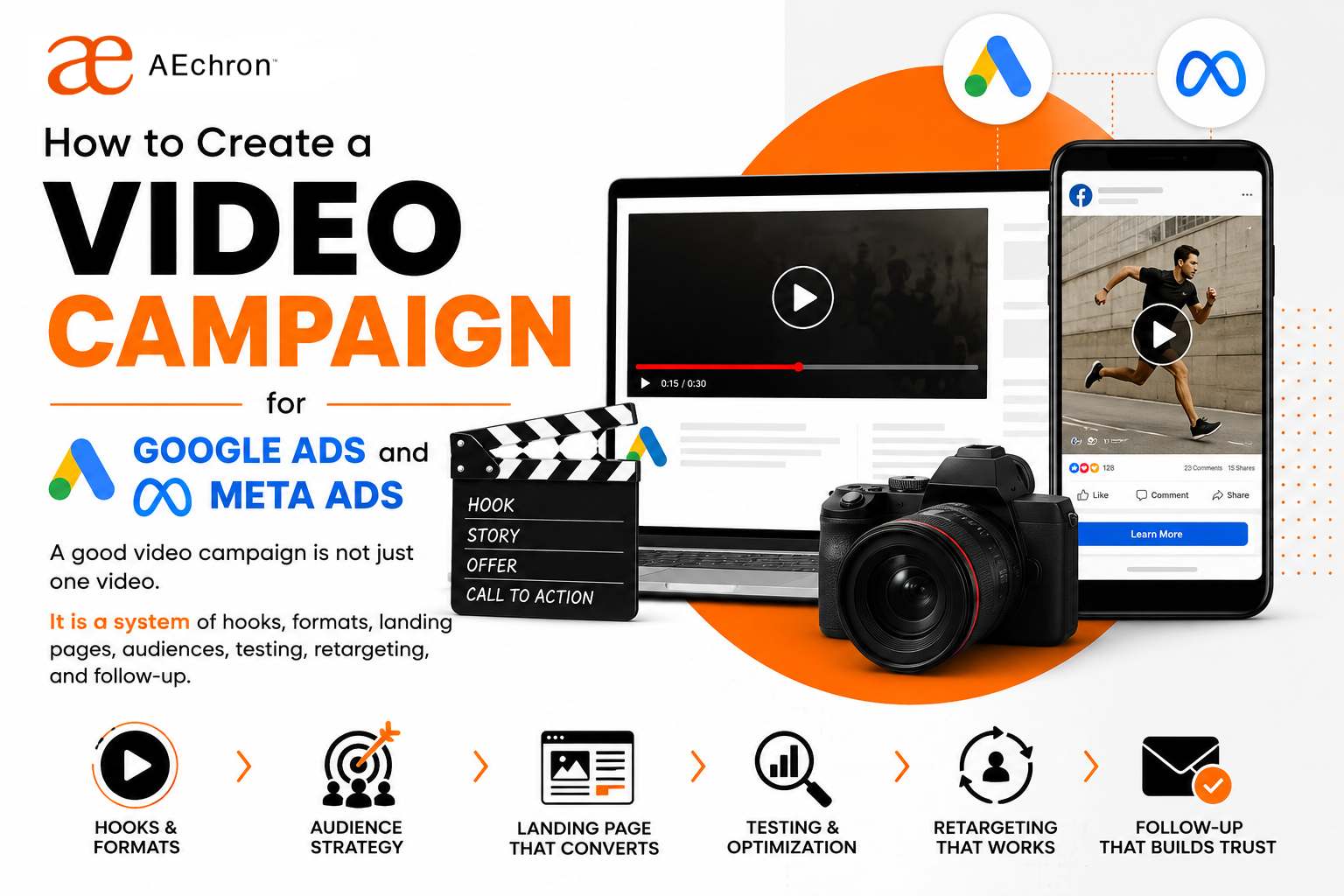
Video ads can work for small businesses, local service companies, ecommerce brands, consultants, and startups. The mistake is treating video as a single creative task: make one polished video, upload it, and hope the platform finds the right customers.
That is not how strong campaigns are built anymore.
A modern video campaign needs a message, several creative angles, short-form cuts, platform-specific versions, clear landing pages, tracking, retargeting, and follow-up. Google Ads and YouTube Ads can help reach people while they search, stream, and discover. Meta video ads and Reels ads can help turn mobile attention into action across Facebook and Instagram.
The goal is simple: create the right video for the right moment, then guide the viewer toward the next step.
Start with the campaign goal
Before choosing tools or making videos, decide what the campaign needs to do. A video made for awareness will not look the same as a video made for booked calls, product purchases, lead forms, or retargeting.
Common video campaign goals include:
- Awareness: introduce the business to a new audience.
- Education: explain a problem, process, service, or product.
- Trust: show proof, testimonials, founder story, results, or expertise.
- Lead generation: drive people to a form, checklist, booking page, or consultation.
- Sales: promote a direct offer, demo, product, discount, or appointment.
- Retargeting: follow up with people who visited the site, watched videos, clicked ads, or engaged with social content.
If the goal is unclear, the video will usually become too general. Strong video ads are specific.
Build one campaign from multiple video angles
Do not start with one video. Start with five to ten angles. The platform needs options, and the audience needs different reasons to care.
For example, a small business video campaign could test:
- A problem-first video: "Most local websites do not fail because they look bad. They fail because customers cannot find or trust them."
- A before-and-after video showing a website, ad, or campaign improvement.
- A founder-led video explaining why the service exists.
- A proof video with testimonials, screenshots, or project results.
- A simple educational video that answers one common buyer question.
- A direct offer video asking viewers to book a consultation.
This connects with building social content, short videos, carousels, and ads as one growth system. The campaign becomes stronger when each asset supports the same message from a different angle.
The 10-tool video campaign stack
You do not need every tool on this list. The point is to understand what each tool can do in the workflow. A lean team might use three or four. A heavier campaign might use most of them.
1. Google Ads and YouTube Ads
Google Ads and YouTube Ads are useful when you want to place video across YouTube, Shorts, in-stream placements, in-feed placements, and Google visual surfaces. Google highlights campaign types such as Demand Gen, Video View Campaigns, and Video Reach Campaigns, which are built for different goals like demand creation, views, and reach.
Use it when your audience is searching, watching educational content, comparing options, or discovering products and services through video.
2. Meta Ads Manager
Meta Ads Manager is the campaign control center for Facebook, Instagram, Messenger, and Audience Network. Meta's own training describes it as the place to create ads, manage delivery, and track results.
Use it for Facebook video ads, Instagram video ads, Stories ads, carousel ads, lead ads, retargeting, and testing different creative versions.
3. Canva
Canva is practical for fast social videos, ad layouts, thumbnails, carousels, captions, simple motion graphics, and brand templates. It works well when a business needs repeatable creative without a heavy editing process.
Use it for quick ad variations, vertical video templates, image-to-video posts, and campaign graphics that match your brand.
4. Adobe Express
Adobe Express is useful for creating social videos, Reels-style assets, video ads, animated posts, and resized versions for multiple platforms. Adobe also supports browser-based editing and templates for formats like Instagram Reels, TikTok videos, YouTube videos, promo videos, and video ads.
Use it when you want polished brand assets, quick resizing, and template-based production.
5. CapCut
CapCut is a strong choice for short-form video editing, captions, mobile-first creative, creator-style ads, trend-based videos, and quick social cuts.
Use it when the campaign needs native-feeling vertical videos for Instagram Reels, Facebook Reels, TikTok-style posts, YouTube Shorts, and mobile-first ads.
6. Descript
Descript is helpful for editing spoken video, creating clips, adding captions, improving audio, recording screens, producing product demos, and turning long recordings into shorter ad assets. It is especially useful when the campaign includes founder videos, webinars, podcasts, interviews, tutorials, or screen walkthroughs.
Use it when the message is built around spoken explanation and you want to move quickly from recording to finished clips.
7. VEED
VEED is built for social video creation with AI tools, subtitles, brand controls, and quick online editing. It can help teams create explainer videos, product demos, testimonial videos, ad clips, and thought leadership content.
Use it for captions, AI-assisted editing, branded social videos, and quick creative versions for testing.
8. Runway
Runway is useful for AI-generated video, motion, visual effects, image-to-video experiments, product visuals, and creative concepts that would be expensive or slow to film from scratch.
Use it for campaign concepts, visual hooks, background scenes, product mood videos, and creative testing when you need more visual variety.
9. Synthesia
Synthesia is an AI video platform for business that can create videos with avatars and voiceovers in many languages. It can be useful for explainers, sales enablement, training, localized videos, and repeated educational content.
Use it when you need a clear presenter-style video but do not want to film a person every time.
10. OpusClip
OpusClip is useful for turning longer videos into short clips. This can help a business repurpose webinars, podcasts, livestreams, demos, interviews, or long YouTube videos into short-form assets for ads and social search.
Use it when you already have long-form content and need more short clips for testing hooks.
How to build the campaign step by step
A video campaign should move through a simple production and launch system.
- Define the offer. Decide what action you want: call, quote, purchase, demo, download, visit, or message.
- Choose the audience. Separate cold audiences, warm retargeting audiences, past customers, website visitors, and people who engaged with content.
- Write 5 to 10 hooks. Test problem hooks, proof hooks, question hooks, misconception hooks, and direct offer hooks.
- Create multiple formats. Build 9:16 vertical videos, 1:1 square versions, 16:9 YouTube versions, thumbnails, and still-image fallback ads.
- Add captions and safe zones. Most mobile users need clear text, captions, and readable layouts that do not collide with platform buttons.
- Build the landing page. Match the ad message to the page headline, proof, offer, FAQ, and call to action.
- Launch with testing structure. Test creative angles before overthinking tiny targeting changes.
- Retarget viewers and visitors. Show stronger proof, testimonials, offers, or booking CTAs to people who already engaged.
- Measure the right actions. Track calls, forms, bookings, purchases, qualified leads, cost per lead, and revenue quality.
- Refresh creative often. Turn winners into more variations and pause videos that do not hold attention.
Google Ads vs. Meta Ads for video campaigns
Google Ads and Meta Ads can both run strong video campaigns, but they behave differently.
Google Ads is often stronger when the campaign connects to search intent, YouTube discovery, product research, educational content, and people already looking for answers. It works well when the video supports a keyword, topic, product, service, or buying journey.
Meta Ads is often stronger when the campaign needs visual discovery, retargeting, local awareness, Reels-style creative, social proof, and interest-based audience testing. It works well when the video needs to stop the scroll and create demand before the customer searches.
For many businesses, the best answer is both. Use Meta to test hooks and create demand. Use Google and YouTube to capture research, comparison, and buying moments. Then connect both to the same landing page and follow-up system.
What makes a video ad work?
Good video ads are usually clear before they are clever. The viewer should know what the video is about within the first few seconds.
Strong video ads usually include:
- A specific hook in the first three seconds.
- One problem, one audience, and one promise.
- Human proof, product proof, or process proof.
- Captions and readable on-screen text.
- A clear next step.
- A landing page that matches the ad.
- Enough variations to learn what the market wants.
This is where video connects to social search, AEO, GEO, AIO, and SXO. A strong campaign does not only buy attention. It creates reusable content that can be found, trusted, clipped, posted, searched, cited, emailed, and retargeted.
How AEchron helps with video campaigns
AEchron helps small businesses and startups build video campaigns from strategy through launch. That can include campaign planning, hooks, scripts, video concepts, short-form edits, Canva or Adobe Express templates, CapCut-style social cuts, landing page copy, Google Ads setup, Meta Ads setup, retargeting, email follow-up, and reporting.
We can also help turn one idea into a full campaign: a blog post, video scripts, Reels, YouTube Shorts, Meta ads, Google Ads, landing pages, lead magnets, and email sequences.
The goal is not to make more random content. The goal is to create a campaign that helps the right people notice your business, trust your offer, and take action.
Final thought
A video campaign is not just production. It is strategy, creative testing, platform fit, landing pages, follow-up, and measurement.
The best tools make the work faster. The best strategy makes the work matter.
If your business wants to use Google Ads, Meta Ads, short videos, Reels, YouTube, carousels, and email together, build the system first. Then let the tools support it.
Need a video campaign that actually connects?
AEchron can help create the videos, ad creative, landing pages, targeting, email follow-up, and reporting system for Google Ads and Meta Ads.
Plan your video campaign →